Punto Switcher for Mac: does it work today, and what replaces it
Yandex still offers Punto for Mac, but with no version or requirements. Caramba, Lang Switcher, Rekey, Boomkey and LayFlip compared: price, languages, limits.
Published October 3, 2026
The Mac replacement: wrong keyboard language fixed on Space
$9.99 one time, no subscription · 14 days free, no card needed
In short
Yandex still lets you download Punto Switcher for Mac, but the page shows no version number, no date and no system requirements. The last version Yandex showed is 2.1, and no source says whether it runs on macOS 26 or 27. Installing it on a new Mac means testing it yourself.
The replacement depends on your languages and how you are willing to pay. Only Russian and English, and a yearly subscription is fine: Caramba Switcher, which has been updated for macOS 27. You need Ukrainian or Hebrew paired with English, or want to pay once: LayFlip on macOS 15 and later, or Boomkey on macOS 14 and later, whose autocorrect is still in beta. Of these two, only LayFlip fixes Bulgarian, Greek, Arabic and Persian on the fly. For Serbian and Macedonian, both fix only on double Shift. You need free autocorrect: Rekey, but it is a beta, and Russian is not on its language list.
Comparison in one table
Prices are in US dollars, from the US Mac App Store or the developer's site. Data as of October 3, 2026.
| Price | Trial | macOS | Fixes automatically | Computers | Main limit | |
|---|---|---|---|---|---|---|
| Punto Switcher | free | not needed | 10.5 and later, per Yandex's help | Russian and English | not stated | last version shown is 2.1, undated; working on current macOS is unconfirmed |
| Caramba Switcher | $6.99 a year, App Store subscription | yes, length not stated in the App Store | 12.0 and later | Russian and English | 3 | no Ukrainian in its layout list; does not handle words with umlauts |
| Lang Switcher | $7.99 to $11.99 a year, or $23.99 to $29.99 lifetime; the App Store does not say which price applies | not stated | 10.15 and later | language list not published | not stated | latest version 3.14.0, February 12, 2026 |
| Rekey | free | not needed | 13 and later | 34 languages per the author, Russian is not on the list | not stated | public beta; autocorrect is off after install |
| Boomkey | $14.99 once | 7 days, no card | 14 and later | English with Ukrainian, Belarusian, Hebrew, Russian, in beta | 2 | other languages only on double Shift |
| LayFlip | $9.99 once | 14 days, no card | 15 and later | English with Russian, Ukrainian, Bulgarian, Greek, Hebrew, Arabic, Persian | 2 | Russian with Ukrainian, Serbian and Macedonian only on double Shift; does not fix on Enter |
How they differ in practice
Punto Switcher for Mac as of October 3, 2026
A little history: Punto came out in 2001, has been owned by Yandex since 2008, and the Mac version appeared on July 2, 2009.
The Punto for Mac page is alive: it has a download button and the words "free language converter" (in Russian on the page). There is no version number there. The last place it shows is an archived copy from June 24, 2023: "Punto Switcher 2.1 для Mac OS X, 7.8 МБ" (Punto Switcher 2.1 for Mac OS X, 7.8 MB). The same line is in the copy from April 29, 2020. In the March 2024 copy the number is gone. When version 2.1 came out is not stated by Yandex or the archive.
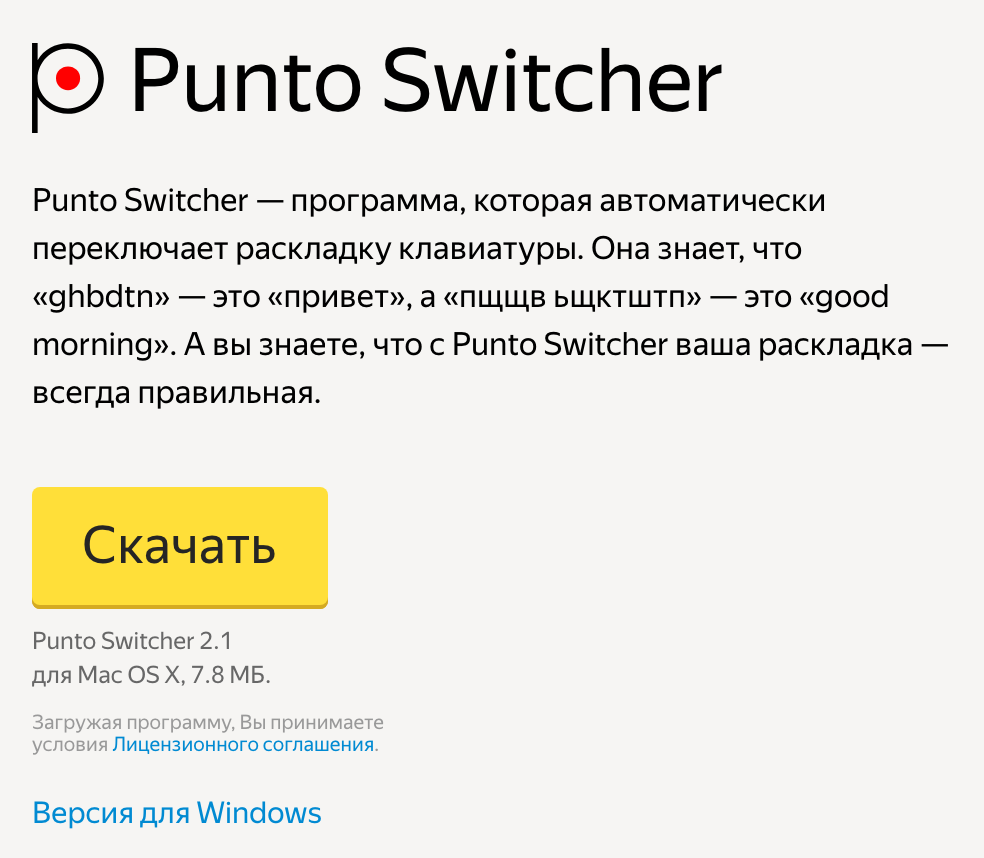
Yandex's help says Punto works "starting with operating system 10.5 Leopard and up" (our translation from the Russian), and gives steps for the Accessibility permission under a tab labelled "Ventura, Sonoma, Sequia" (spelled that way on the page). So Yandex itself describes installing it on macOS 13, 14 and 15. The help says nothing about macOS 26 and 27, and it has no date. It names the languages directly (our translation of the Russian original below: "Right now Punto can correctly switch the layout between Russian and English"):
Сейчас Punto умеет корректно переключать раскладку между русским и английским языками.
Yandex, Punto Switcher for Mac help
On Ukrainian, the same page says support is being prepared, with no dates.
You often read that Punto for Mac is 32-bit and therefore has not launched since Catalina, or that it does not work on Macs with Apple silicon. These are two different causes, and Yandex confirms neither: nowhere does it say what architecture the program is built for. Apple describes the first mechanism like this:
Starting with macOS Catalina 10.15, 32-bit apps are no longer compatible with macOS.
Apple, 32-bit app compatibility with macOS
If Punto were 32-bit, it would not open since Catalina, yet Yandex's help describes installing it on Sequoia. The second mechanism: Rosetta runs Intel programs on Macs with Apple silicon. By Apple's information, it is available through macOS 27, and from macOS 28 it stays only for some older games. If Punto is built for Intel only, it will stop launching on Apple-silicon Macs from macOS 28. Whether it is built that way is unknown.
Reviews are few and old. The editors of yablyk.com used Punto for years and left it:
Но на последних версиях macOS это приложение работает, мягко сказать, не очень корректно.
Roman Miroshnichenko, Caramba Switcher review on yablyk.com
By the author's account, the program often skipped words that needed switching. He does not name the macOS version, and the article's date is ambiguous: 2022 in the metadata, 2023 on the page. Earlier still, in 2020, iphones.ru wrote about the same thing:
Тем не менее, он очень давно не обновлялся и откровенно морально устарел.
Nikolai Gritsaenko, Mac app roundup on iphones.ru
Both texts recommend Caramba, and both were written long before macOS 26. We found no recent report on whether Punto launches on the current macOS, good or bad.
Caramba Switcher
In the US Mac App Store it is now called Caramba Switcher Pro, seller Sergey Moskalev. yablyk.com presents it as Punto's successor and its author as a former Yandex employee. Caramba is what both outlets above recommended instead of Punto. It needs macOS 12 or later. The download is free and there is a trial, then a yearly auto-renewing subscription: in the US App Store it costs $6.99 a year. How long the trial lasts the App Store does not say, and Caramba's site and its license agreement give different periods. The last update came out on September 22, 2026: the developer writes that it has adapted the program to macOS 27.
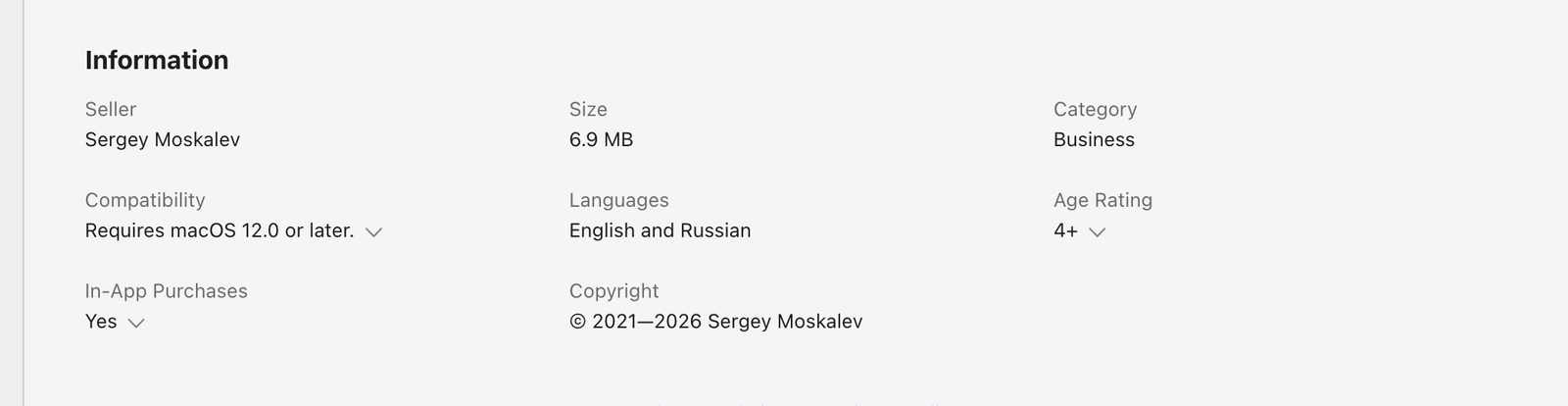
There are two languages. On Caramba's site the layouts are listed as English (US), Russian and "Russian PC". There is no Ukrainian, and users say so too (a 2022 review).
But Caramba does more than switch layouts: it fixes common typos in Russian and English and puts the letter ё in by the rules. The license on the site covers 3 computers. What it cannot do, the developer lists himself: words with umlauts, programming languages, remote desktop (RDP), working in every program across the board. Umlauts matter to people who live in Germany and write in German too.
Users praise it for simply working:
Ну а в целом – очень удобно и не глючно!
Alex Masny, review in the German Mac App Store, 2023
The same author asks for a blacklist of words: the program keeps converting the German "mit". The main complaint is a different one. In messengers Caramba fixes the last word on Enter as well, and the message goes out at once, with no chance to check it (a 2025 review):
The program can independently send messages to the chat when it is not required.
AndrewSirius, review in the Ukrainian Mac App Store, 2025
Also in the reviews: a subscription that people call too high for a single-function program, and a program that asks on Mac shutdown whether to close it instead of closing itself.
Lang Switcher
In the App Store it is called Smart Language Switcher, seller Ihor Prodan. It needs macOS 10.15 or later: the lowest threshold among the programs updated in 2026. The download is free, and the US App Store's in-app purchase list has five lines: three yearly, at $11.99, $9.99 and $7.99, and two "lifetime", at $23.99 and $29.99. Which one applies now, the listing does not say. Count on $7.99 to $11.99 a year or $23.99 to $29.99 once. The language list is not published: the description gives examples such as Spanish and French, and in a reply to a review the developer writes that Japanese and Korean layouts are not supported. Users who write in Ukrainian praise it.
The latest version, 3.14.0, came out on February 12. The page shows no year; going by the order of entries, it is 2026. In January 2025 one user asked whether the app had been abandoned: the support contact on Telegram had disappeared (review). The developer answered in July 2025: he had had problems with his Telegram account, and he gave an email address. Another user, the same year, saw a request to buy the app again after an update:
Today I updated the app and now it tells me that I should buy it!
Ksenia-Katido, review in the US Mac App Store, 2025
The developer replied that the purchase can be restored with the Restore Purchase button, and promised to fix a bug where switching erased letters of the previous word.
Rekey
Free, in public beta, closed source. It needs macOS 13 or later and runs on Apple silicon and Intel. The author promises 34 languages, "from Ukrainian to Thai" (our translation of the Russian-language wording). On the page's list there are Ukrainian, Hebrew, Greek, Arabic and Bulgarian, but no Russian. The sample correction on the same page does not settle it: you cannot tell from it whether it is Russian or Ukrainian. If you need Russian, test it yourself before counting on Rekey.
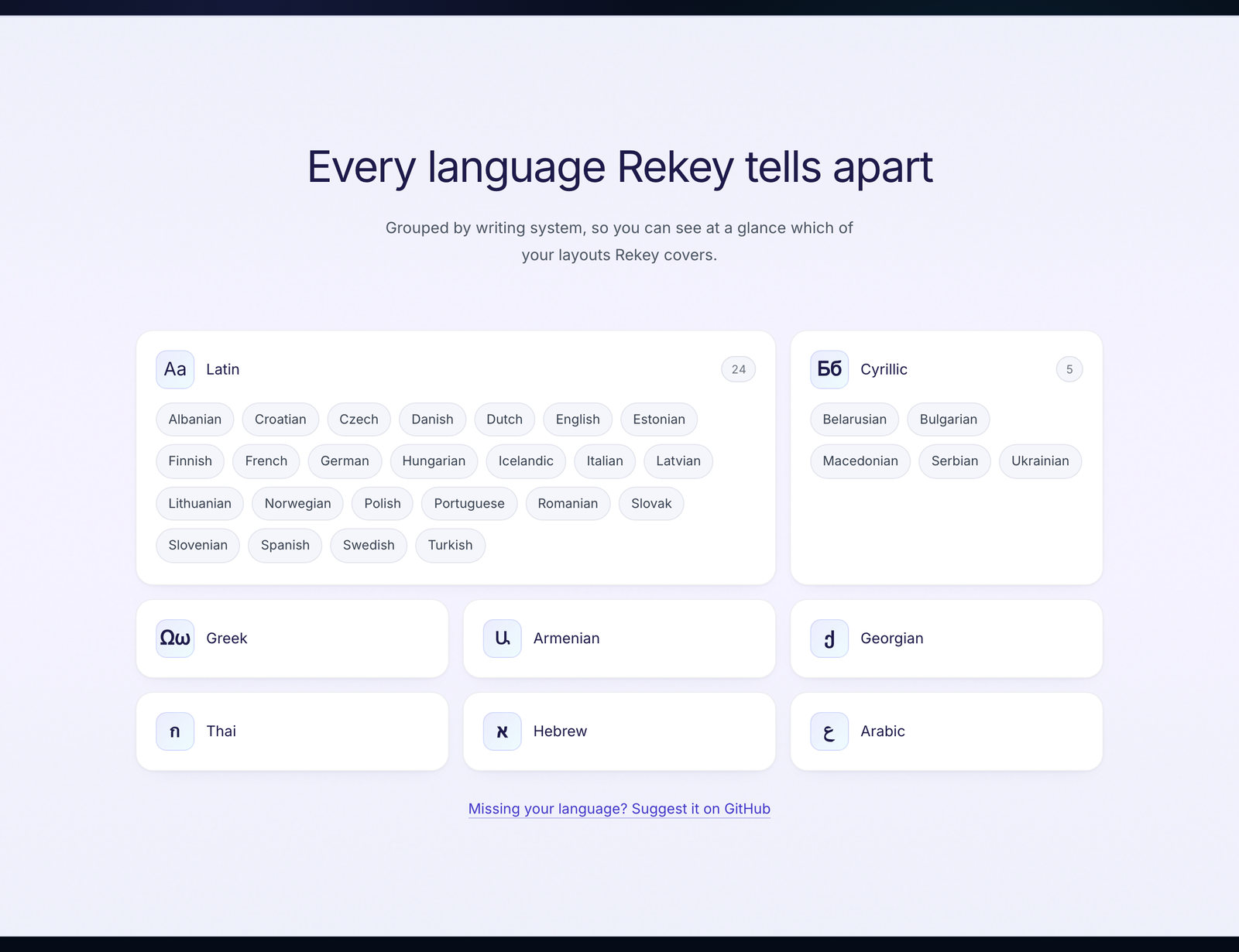
After install, autocorrect is off: you have to turn it on at the last step of the welcome window, or Rekey fixes nothing. The latest dated build, 1.0.0-beta.5, came out on September 17, 2026.
Boomkey
$14.99 once, a 7-day trial with no card, a key for 2 Macs, a refund within 30 days. It needs macOS 14 or later, Apple silicon and Intel. On Space, Boomkey fixes English paired with Ukrainian, Belarusian, Hebrew and Russian by itself, and that feature is marked beta. The other pairs, including Serbian and Macedonian, are fixed only by double Shift. What happens on Enter is not stated. The latest release, 1.1.6, came out on September 24, 2026.
What they see and what they send
Any auto-switcher reads every keystroke, otherwise it would not notice "ghbdtn". In a Hacker News discussion of a similar program this was said outright:
This seems like a giant security issue.
Hacker News commenter, FlicKey discussion
Just like any other app asking for accessibility permissions, no?
yreg, reply in the same thread
The second reply is more accurate: the risk is not in a particular program but in the Accessibility permission that every one of them needs, LayFlip included. So what is worth looking at is what the developer writes about data:
- Punto. Yandex's license allows programs to transmit the IP address and data about available networks, and for Punto separately information about the programs running on the computer and other technical information. Whether the typed text is sent, it says neither yes nor no.
- Caramba. The agreement for the App Store version: collects no personal data, downloads dictionary updates, may send error reports.
- Lang Switcher. The policy is written from a template. What happens to typed text, the developer does not say.
- Rekey. The policy: typed text does not leave the Mac. Crash reports through the Sentry service are on by default in beta versions, and can be turned off.
- Boomkey. The policy: collects no personal data. On activation it sends the key and an anonymized device fingerprint.
What LayFlip sends is covered below, in the section on how to try it.
Where LayFlip is weaker
- It needs macOS 15 or later. It will not install on macOS 13 and 14. On macOS 14, Boomkey, Rekey and Caramba install; on macOS 13, only Rekey and Caramba.
- Russian and Ukrainian do not switch between each other on their own, only on double Shift. Macedonian and Serbian are also fixed only on double Shift.
- It does not fix anything on Enter: the text goes out as you see it. Nothing extra flies into a chat, but the last word before Enter also stays as typed.
- A key works on 2 Macs, while Caramba's license covers 3 computers.
- After 14 days, autocorrect works only with the $9.99 key, while in Rekey it is free. Double Shift stays free.
What to pick
- You write only Russian and English, want typo fixes and ё, and a subscription does not bother you: Caramba Switcher. It also suits a Mac on macOS 12.
- You need English paired with Ukrainian, Hebrew, Greek, Bulgarian, Arabic or Persian, and want to pay once: LayFlip, if you have macOS 15 or later. On macOS 14, look at Boomkey, but its autocorrect is still in beta and knows fewer pairs.
- You write both Russian and Ukrainian and want the program to tell the two apart on its own: neither LayFlip nor Caramba does this. Try Lang Switcher: Ukrainian-speaking users praise how it handles three languages, though the developer does not publish a language list.
- A Mac on macOS 13: Rekey or Caramba. LayFlip and Boomkey will not install.
- You need free autocorrect: Rekey, if your language is on its list. Russian is not there.
- You want to stay with Punto: download it only from Yandex's page and test it on your own Mac. Nobody has confirmed it works on current macOS.
- You just need to switch language, with no autocorrect: macOS's own settings are enough, here is how to change the language on a Mac.
How to try it on your Mac
If you are used to Punto on Windows, the easiest way to check LayFlip is in ordinary conversation. After install, macOS will ask you to allow Accessibility and Input Monitoring: without them LayFlip cannot see keys and cannot retype a word. Open a messenger or Mail, type ghbdtn and press Space. The word is retyped as "привет", and the layout switches with it, with no hotkeys to remember. If you wanted the word exactly as typed, press Shift twice before the next one begins: it comes back, and LayFlip remembers it. Comparing side by side with Caramba or another switcher? LayFlip warns you that a second one is running, so words are not fixed twice, but it is fairer to try them one at a time. If you write both Russian and Ukrainian, know this in advance: those two do not switch between each other on their own, only on double Shift. LayFlip checks what you type against dictionaries inside the app and sends it nowhere, and it contacts layflip.com only to register the license and check for updates. The app is signed with an Apple Developer ID certificate and notarized by Apple. The first 14 days are free, no card needed. After that, a $9.99 key, once and with no subscription, is needed only for autocorrect. The manual functions stay free: flipping a word with double Shift or reverting it to how it was works without a key.
Searched for "Punto Switcher online" or cannot install programs on a work Mac? Text that is already typed in the wrong layout can be fixed for free with the online keyboard layout converter on this site.
Verdict
Punto on a Mac today rests on habit, not on documents: the last version shown is 2.1 with no date, the help does not mention macOS 26 and 27, and there are no recent reviews. Start with it only if you are ready to test it yourself and delete it if it does not work.
For Russian with English, the most direct successor is Caramba. It is maintained, updated for macOS 27, and does more than switch. The price of that is a subscription every year and, judging by reviews, fixing on Enter, which you have to get used to in messengers. If you need Ukrainian or Hebrew paired with English, or do not want a subscription, the macOS version decides: on 15 and later LayFlip, on 14 Boomkey, on 13 the free Rekey with its caveat about Russian. For Serbian and Macedonian, LayFlip and Boomkey fix only on double Shift.